


Search
Listing idle Application in your DB Database.
- Dec 8, 2021
- 1 min read
In this blog we will see and learn how to check idle applications in your databases.
Command to check the idle applications in your database
db2 get snapshot for applications on <db_name> | grep -i idleFor Example:
[db2inst1@ubulnx66~]$ db2 get snapshot for applications on JCTestDB| grep -i idle
Application idle time = 5 minutes 29 seconds
Application idle time = 4 minutes 23 seconds
Application idle time =
Application idle time =
Application idle time =
Application idle time = 02 seconds
Application idle time =
Application idle time = 2 minutes 21 seconds
Application idle time =
Application idle time =
Note : If the value of Application idle time is showing nothing, it means that the application is running at moment.
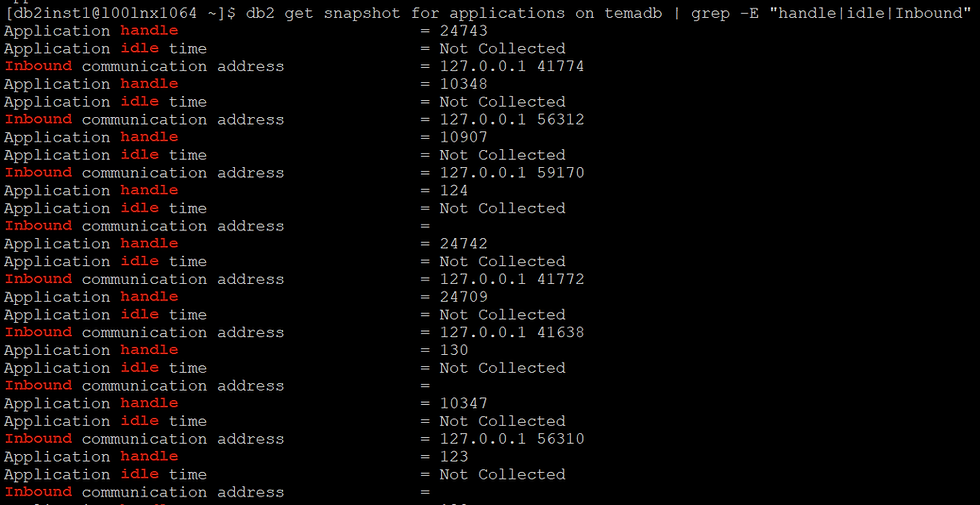
Also if you want to list all applications handle in your system, how much time they are in idle state and their IP address from machine where they are connecting on database, then execute the below command:
db2 get snapshot for applications on <db_name> | grep -E "handle|idle|Inbound"For Example:
That's all in this post. If you liked this blog and interested in knowing more about IBM Db2. Please Like, Follow, Share & Subscribe to www.ImJhaChandan.com.


Comments