


Search
Compressing a db2diag file | Db2 capacity/performance management
- Jha Chandan

- Mar 27, 2021
- 1 min read
In this article we will see and learn how to compress a db2diag file.
Follow below steps to compress the db2diag and create a new one :
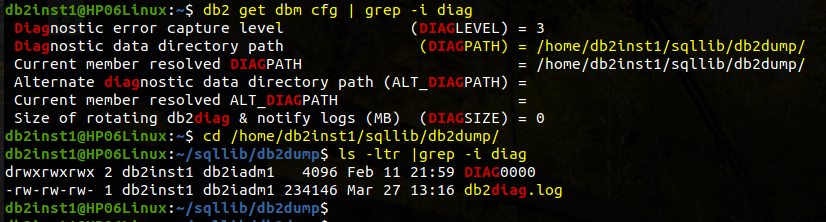
1) Finding the db2diag.log path
Syntax:
db2 get dbm cfg | grep -i diagOutput:

2) Going to db2diag.log path
Syntax:
cd /db2/instance1/sqllib/db2dump
ls - ltr | grep -i diag
Output:
3) Creating a new one db2diag.log
Syntax:
db2diag -AOutput:

4) Compressing the old db2diag.log
Syntax:
gzip db2diag.log_2021-03-27-13.28.34
OR
compress db2diag.log_2021-03-27-13.28.34
Output :

That's all in this post. If you liked this blog and interested in knowing more about IBM Db2, Please Like, Follow, Share & Subscribe to imjhachandan.com


Comments